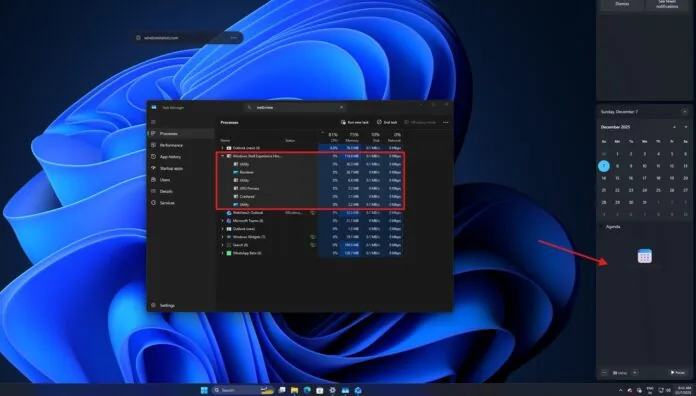
Windows Latest that Microsoft has officially started the process of phasing out the Mail & Calendar app in Windows 11 and Windows 10. Although users can still open the app through the new version of Outlook or some PowerShell scripts, its functions are no longer available.
Microsoft said that Outlook has become an integral part of Windows 11, and the mail and calendar app has stopped serving some users since January 1, 2025. Microsoft insiders described this phase-out process as a “phased rollout,” which means that some users can still use the app for now.
This decision is not surprising, as Microsoft has reminded users of the changes several times in the past six months. Many users have begun to see prompt windows announcing the official retirement of the Mail and Calendar apps. The window title reads “Windows Mail and Calendar are no longer supported” and is accompanied by a short description and actions that users can take.
The prompt message indicates that the app will not be able to send emails or access calendar events. In addition, the system will automatically guide users to the new version of Outlook app, which has been pre-installed on the system through the latest Windows monthly security update. This means that users can no longer go back to the old version of the app, but can migrate all app data to the new version of Outlook by clicking the “Export Data” button.
As mentioned above, Microsoft sources have confirmed this change. The app’s retirement is happening gradually, and some users may continue to be able to use the app until Microsoft completely stops its service worldwide.
It was noticed that although the new Outlook app does not yet have the full feature set of the classic Outlook app, and even when it was first launched, it was not as functional as the Mail and Calendar app, Microsoft has gradually improved and added most of the missing features, while removing some less practical features.
Unlike now, last year users could choose to continue using the old version of the app through a simple switch within the app, but now the new version of Outlook has become the default option, and the old version of the app will soon be unavailable to all users.
The app has been removed from the Play Store, and users are advised not to continue using it in any form because it is no longer maintained.
Microsoft recommends that users give the new version of Outlook some time, as it is the only option in the future.
Currently, Microsoft has added offline support to it and is developing dozens of functional add-ons, most of which are listed on the official roadmap page. Users can expect more features to be gradually improved.